
Find duplicate images with fraudify: So a duplicate doesn't turn into a costly problem.
Do you open your photo folder and see the same photo three or four times? You're not alone. Between smartphone backups, cloud synchronization, and manual copying, countless duplicate images accumulate over time. For individuals, this is mostly just a nuisance and takes up storage space.
For businesses that process large volumes of image files daily, however, this same issue can have significant consequences: If, for example, a damage claim photo is submitted multiple times for different claims, insurance companies risk making incorrect decisions or suffering financial losses.
In this article, we’ll show you how to reliably find and delete duplicate images. You’ll learn which free and paid programs are suitable for individuals and why businesses with large or security-critical image collections should rely on a specialized solution like fraudify’s duplicate check.
What are duplicate images, and how do they occur?
Duplicate images are photos that exist in multiple copies in the same location or are spread across different folders and devices. There are two basic categories.
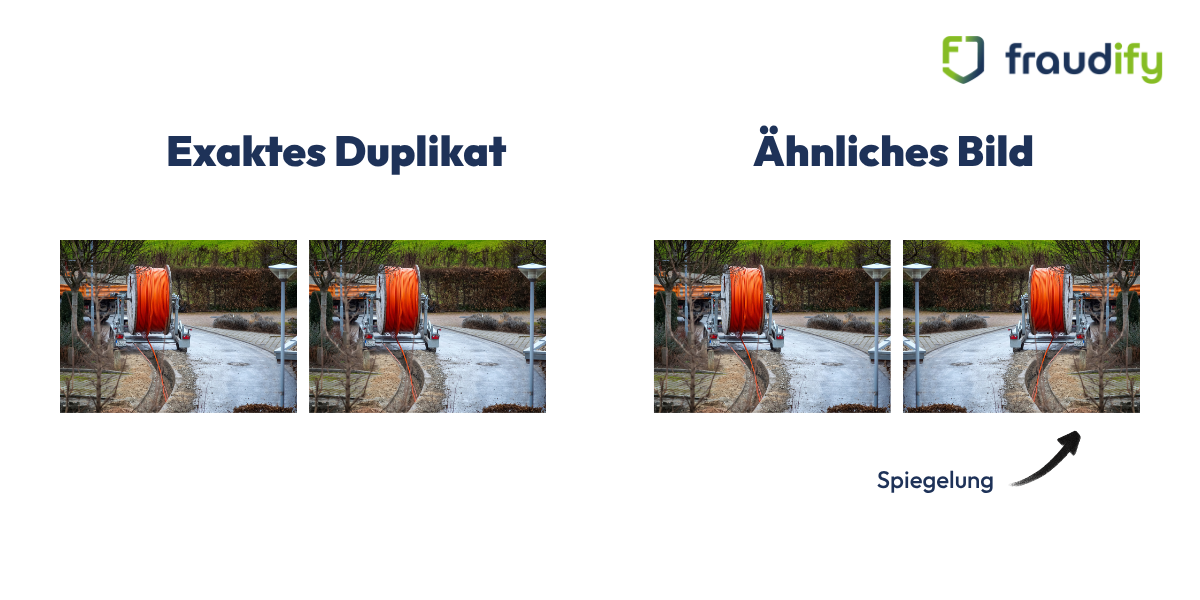
Exact duplicates vs. similar images
Exact duplicates are 1:1 copies of the same file. They have the same image content—often even the same filename—and are technically easy to identify. Similar images, on the other hand, differ slightly from one another—for example, due to a different resolution, a different file format, editing, or a slight shift in the image cropping. It is precisely these images that pose the greatest challenge for simple duplicate searches because a simple file comparison cannot detect them.
When Duplicate Images Become a Real Risk for Businesses
For individuals, duplicate vacation photos are simply a matter of organization. For businesses with large image databases or submitted supporting photos, however, this same issue poses a tangible business risk. For example, if a damage photo is submitted twice for different insurance claims, or if the same construction site photo appears in two different project invoices, this can lead to incorrect payments, delayed review processes, or legal disputes.
When Are Traditional Duplicate Finders No Longer Sufficient?
Traditional duplicate-finding tools are designed for personal photo archives: they scan local folders for identical or similar files. For companies that must review hundreds or thousands of submitted images from various sources every day, these tools quickly reach their limits. They typically lack:
Integration with existing review and approval processes
The ability to automatically compare images from different workflows and time periods
A combination of duplicate detection and image forensics to additionally identify manipulated or AI-generated images
Traceable, documented review results for compliance and audit purposes
This is exactly where a specialized solution like fraudify comes in.

When Duplicate Images Become a Real Risk for Businesses
For individuals, duplicate vacation photos are just a matter of organization. For businesses with large image databases or submitted supporting photos, however, this same issue poses a tangible business risk. For example, if a damage photo is submitted twice for different insurance claims, or if the same construction site photo appears in two different project invoices, this can lead to incorrect payments, delayed review processes, or legal disputes.
When Are Traditional Duplicate Finders No Longer Sufficient?
Traditional duplicate-finding tools are designed for personal photo archives: they scan local folders for identical or similar files. For companies that must review hundreds or thousands of submitted images from various sources every day, these tools quickly reach their limits. They typically lack:
Integration with existing review and approval processes
The ability to automatically compare images from different workflows and time periods
A combination of duplicate detection and image forensics to additionally detect manipulated or AI-generated images
Traceable, documented review results for compliance and audit purposes
This is exactly where a specialized solution like fraudify comes in.

Duplicate Detection with fraudify: AI-Powered Image Analysis for Businesses
fraudify is FIDA’s AI-powered image forensics solution. While traditional duplicate finders are primarily designed for personal photo archives, the fraudify duplicate check is aimed at businesses that manage large image collections or need to systematically check submitted images—such as damage, construction, or verification photos—for duplicates.
What sets the fraudify duplicate check apart from traditional tools?
The fraudify duplicate check automatically detects whether an image has already been used in a previous process—even if the image cropping, editing, or file format differs. This is made possible by a combination of various methods:
Automated reverse imagesearch: fraudify checks whether a submitted image already exists elsewhere on the internet.
Metadata check: Timestamps, geodata, and camera data are examined for inconsistencies.
Similarity detection: Images that differ in detail but are identical in content are reliably identified as duplicates.
Combination with image forensics: In addition to duplicate detection, manipulated or AI-generated images can be identified—an area where traditional duplicate-finding tools are ineffective.
Real-world example: How a network operator checks image sets during fiber-optic expansion
Network operator EWE NETZ provides a clear real-world example. During fiber-optic network expansion, subcontractors document their construction work with a large number of photos. Using fraudify’s duplicate check, similar or repeatedly submitted images can be automatically detected, even if they differ in detail. The result: a standardized and significantly faster review of large volumes of images, without having to manually compare each photo against previous submissions.

Who can benefit from fraudify?
fraudify is always a good choice when images are used as evidence, documentation, or a basis for decision-making and are generated in large numbers. This includes, in particular:
Insurance companies that check damage photos for duplicate claims
Construction companies and utility providers that manage large volumes of construction documentation
Government agencies that verify submitted supporting photos for applications or grants

How does fraudify detect duplicate images?
To help you properly interpret the results of a duplicate check, it’s helpful to take a look at the underlying technology. Most programs combine several methods.
File Name and Metadata Comparison
The simplest method compares filenames, file sizes, and modification dates. This method is fast but only detects duplicates where these properties haven’t changed. Renamed or resaved copies often slip through the cracks as a result.
Pixel-based comparison
In a pixel-based comparison, fraudify analyzes the actual image content and compares pixel values. This method reliably detects duplicates even if the file name or storage location differs—but it is more computationally intensive than a metadata-only comparison.
Perceptual Hashing: Similarity Instead of Exact Match
fraudify also uses what is known as perceptual hashing. In this process, the software generates a compact “fingerprint” from the visual content of an image. Two images are considered similar if their fingerprints are close to each other, even if they differ in resolution, compression, or cropping. This makes it possible to detect even edited or compressed copies of an original.
Why is it worth your while to look for duplicate photos, even for personal use?
At first glance, individual duplicate photos seem harmless. Taken together, however, they cause noticeable drawbacks.
Reclaim storage space
Photos and videos are among the largest file types on computers and smartphones. In a real-world test, a personal photo archive totaling 70 gigabytes was scanned for duplicates—a figure that illustrates just how quickly significant amounts of data can accumulate, even for individual users (tonfotos.com). If you consistently remove duplicate images, you’ll free up a corresponding amount of storage space on your hard drive, smartphone, or in the cloud.
Staying Organized in Your Photo Collection
The more duplicates that accumulate, the harder it becomes to find a specific photo. Folders become cluttered, and search results are diluted by multiple matches. A cleaned-up photo collection, on the other hand, can be searched and sorted much more quickly.
Better system performance
Especially on older devices or with very large archives, a high number of files can noticeably slow down indexing, backups, and the system’s overall response time. Fewer unnecessary files generally also mean shorter scan and backup times.
The Most Common Causes of Image Chaos
In practice, duplicate photos can arise for a variety of reasons:
Multiple cloud syncs: If you use both iCloud and Google Photos at the same time, the same photo often ends up in both services.
Repeated transfers from your smartphone: When manually copying photos from your memory card to your computer, images are easily imported a second time.
Burst mode: When you take multiple shots of the same subject to choose the best one, you automatically end up with very similar photos.
Editing and exporting: If a photo is edited and saved under a new name, the original is also retained.
Multiple imports into different folders: Photos copied for a photo book or a project often remain permanently in a separate folder.
What programs can help individuals find duplicate photos?
There are a number of free and paid tools available for personal photo collections. The following overview presents a selection of tried-and-true programs.
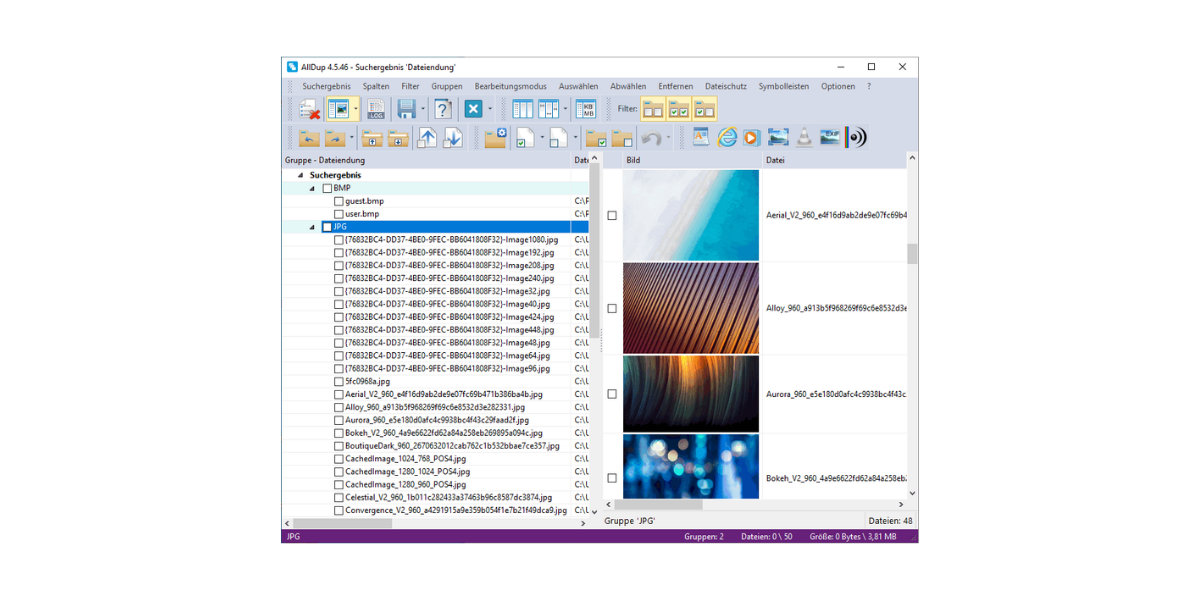
AllDup: Free Duplicate File Finder for Windows
AllDup is a free Windows program for finding duplicate files that also offers features specifically designed for images. In addition to the standard comparison by filename, size, or content, AllDup uses a special algorithm to detect similar images. Handy feature: Before permanently deleting them, you can review the found duplicates using a built-in preview, and AllDup can delete, move, or copy files to a collection folder as desired.
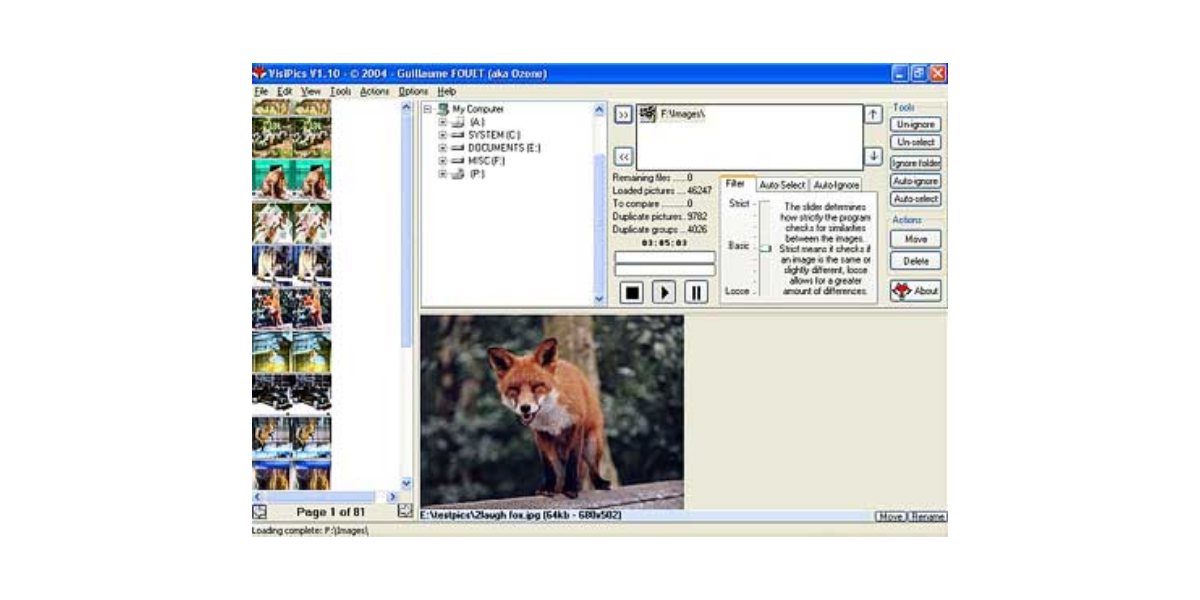
VisiPics: Detect Duplicates Even in Rotated Images
VisiPics is a free Windows program that finds not only exact copies but also images with slight differences. A unique feature: The software can also identify photos that have simply been rotated differently as duplicates. With multiple similarity levels—ranging from “vague” to “exact”—you can customize the search to suit your specific needs.
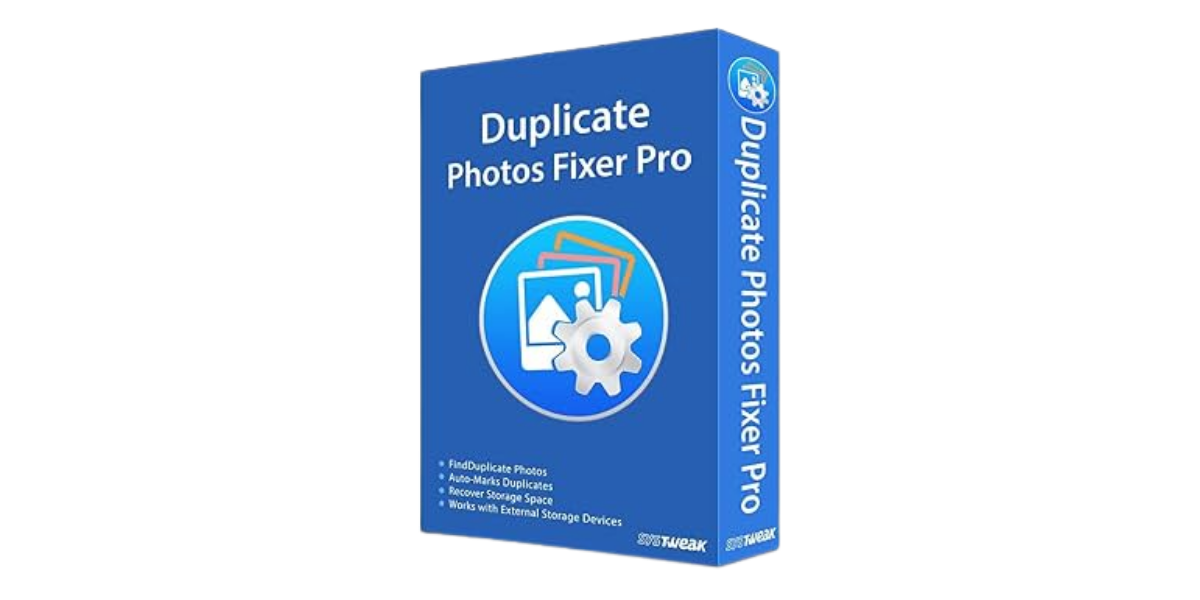
Duplicate Photos Fixer Pro: A Solution for Windows, Mac, Android, and iOS
If you manage photos across multiple devices, Duplicate Photos Fixer Pro offers a cross-device solution: This paid software is available for Windows, Mac, Android, and iOS. It offers two comparison methods—matching exact duplicates and searching for similar images—and can also include cloud storage services like Dropbox in the scan.
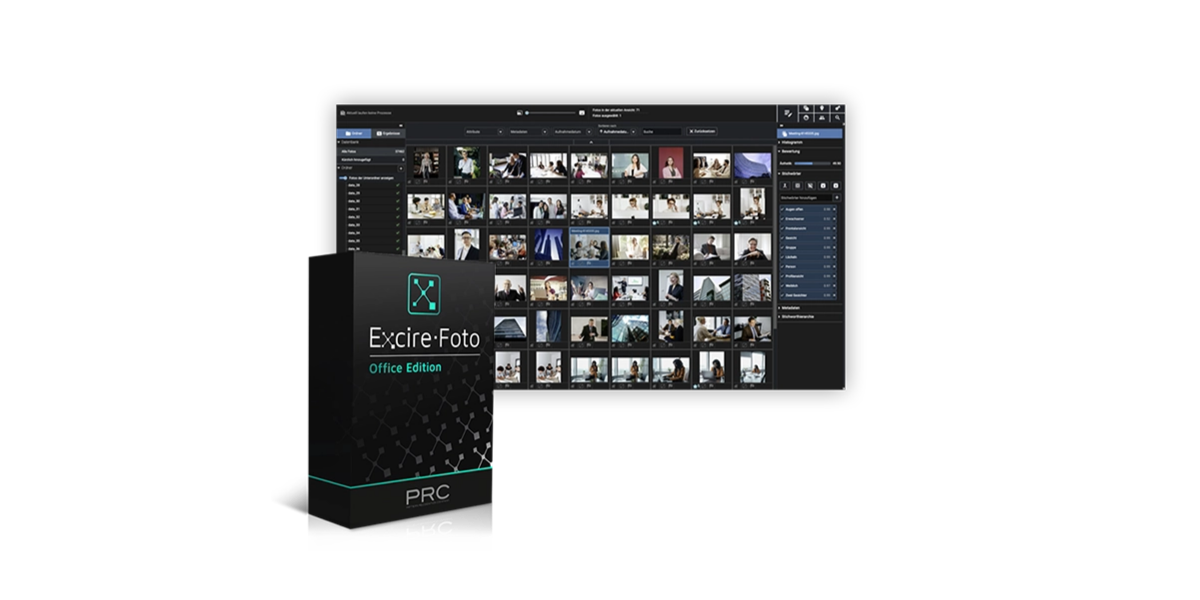
Excire Foto 2025: AI-Powered Photo Management with Duplicate Finder
Excire Foto 2025 uses artificial intelligence to automatically group both identical and similar images. Users can individually set the degree of similarity and the time interval for burst shots. The software runs entirely locally on the user’s own computer, but its feature set is primarily aimed at photographers with very large image collections.
How do you find duplicate images on Windows, Mac, and in the cloud?
The best method for finding duplicate files depends heavily on the operating system and storage location.
Windows
Windows itself doesn’t include a built-in feature for finding duplicates. In this case, it’s worth using a dedicated program like AllDup or VisiPics, which can search specific folders or entire hard drives.
Mac
The Photos app on macOS has a built-in duplicate detection feature that automatically finds exact copies within your photo library and displays them in a separate album.
Cloud services such as Google Photos and iCloud
Google Photos automatically compares images based on size and other properties during upload to prevent exact duplicates from being uploaded. However, images that differ in resolution, filename, or other metadata are not automatically detected and must be sorted out manually. If you use multiple cloud services at the same time, you should also be aware that this makes it particularly easy for the same images to be duplicated—for example, when iCloud and Google Photos are actively syncing simultaneously.
5 Steps to a Tidy Photo Archive
No matter which tool you choose, the following approach has proven effective in practice:
Create a backup: Back up your photo collection to an external hard drive or the cloud before you start searching for duplicates. This way, you can always revert to the original version if something goes wrong during the deletion process.
Define locations: Determine which folders, drives, or cloud services should be searched. For your first search, it’s best to start with a single, manageable folder rather than scanning your entire hard drive right away.
Select search criteria: Decide whether to find only exact duplicates or also similar images. A high similarity threshold finds more potential duplicates but also increases the risk that different images will be mistakenly classified as copies.
Review results: Preview the duplicates found before deleting or moving them. Most programs display potential duplicates side by side, so differences in resolution or framing are visible at a glance.
Delete or move duplicates: Whenever possible, use the Recycle Bin instead of permanently deleting files so you can undo any mistakes. Alternatively, you can move duplicates to a separate folder and only empty it permanently after a few weeks.
What to Keep in Mind When Deleting Duplicate Photos
As convenient as the automatic duplicate scan is, it’s worth taking some care when actually deleting the duplicates.
Back Up Before Deleting
Before you delete large numbers of image files, you should always create a backup. False positives are rare but not impossible—especially with images that look very similar but depict different subjects. A backup gives you the peace of mind of knowing you can access the original files if needed.
Delete automatically or check manually?
Many programs offer an automatic selection feature that, for example, keeps the file with the higher resolution and marks the rest for deletion. This saves time but carries a certain risk with large, disorganized collections. For particularly important images—such as those from special occasions—it’s worth checking them manually before permanently deleting them.

Organizing Your Photo Archive—Whether Personal or Corporate
Duplicate photos are more than just a cosmetic problem: They take up storage space, make it harder to keep track of everything, and can even lead to poor decisions in a business context. For personal photo collections, a free or low-cost tool like AllDup, VisiPics, or Czkawka is usually more than enough to restore order.
However, when it comes to large image collections or submitted supporting photos—where more is at stake than just a little storage space—it’s worth looking into a specialized solution. With fraudify’s duplicate check, you can scan large image sets automatically, reliably, and with full traceability—and, if needed, combine the duplicate search directly with a check for image manipulation. This transforms a tedious side task into an integral part of secure verification processes.
Want to know exactly how the fraudify Duplicate Check fits into your verification process? Request a free live demo here.
FAQ: Frequently Asked Questions About Duplicate Images
Duplicate images are exact copies of the same file. Similar images, on the other hand, depict the same or a similar subject but differ in details such as resolution, framing, aspect ratio, or editing.
That depends largely on the size of the photo collection in question.
Partially. Google Photos compares images during upload, thereby preventing exact duplicates. However, the service does not automatically detect images with different metadata—for example, after editing.
Fraudify is primarily designed for companies that regularly need to review large volumes of images—for example, in the context of claims processing, construction documentation, or application review. Whether it’s the right fit depends on your specific needs; a no-obligation consultation is the quickest way to find out.
Generally speaking, yes—as long as you've created a backup beforehand and double-check the automatic selection before permanently deleting the images. In rare cases, images that look very similar but have different content may be misclassified.


